Enabling Schindler Settings
You must enable System Galaxy’s System-wide Settings to use the Schindler System.
- Start up the System Galaxy software and sign in with a master-level login
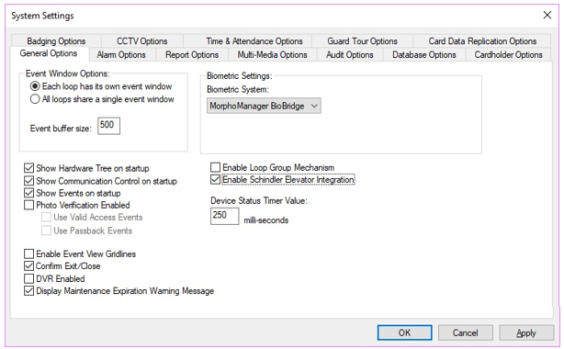
- Browse to the Configure > Options > System Settings to open the System Settings General Tab.
- On the General tab, select the Schindler Elevator option.
- Click APPLY and SAVE buttons ~ then click YES to Restart SG Software.
- When you log back in, the Schindler Elevator programming screens will be available.